
Understanding the Difference
If you are new to music production, the difference between presets and samples can be confusing. Both are tools that help you make music faster, but they work in fundamentally different ways. Understanding when to use each one will make you a better, more efficient producer.
What Are Presets?
A preset is a saved configuration for a synthesiser. When you load a preset into a synth like Serum, it sets all the parameters (oscillators, filters, envelopes, LFOs, effects) to create a specific sound. You then play the preset using MIDI notes, meaning you control the pitch, timing, and expression.
Advantages of Presets
Presets are infinitely flexible. You can play any note, any chord, any rhythm. You can tweak every parameter to make the sound your own. You can automate parameters in real-time for evolving sounds. And because the sound is generated in real-time by the synth, presets scale to any tempo or key without artifacts.
For bass music production, presets give you the most creative control. A single bass preset can be used across an entire track with different notes, patterns, and automation, creating variety from one source.
When to Use Presets
Use presets when you need: basslines (any genre), lead melodies, pads and atmospheres, any sound that needs to play different notes, sounds you want to customise extensively, and real-time performance elements.
What Are Samples?
A sample is a recorded audio file. It could be a single drum hit (one-shot), a loop (a repeating pattern), or a longer recording. When you use a sample, you are working with audio that has already been created and recorded.
One-Shot Samples
One-shots are single sounds: a kick drum, a snare hit, a bass stab, a vocal chop. They are triggered once and play through. One-shots are the building blocks of electronic music production, especially for drums and percussion.
Our Dirty Bass One Shots packs contain 100 bass one-shot samples each, perfect for layering with synth presets or using as standalone bass hits.
Loops
Loops are audio patterns that repeat seamlessly. Drum loops, bass loops, and musical loops can be dropped into your project to quickly build a foundation. They are tempo-synced and usually come in multiple variations.
When to Use Samples
Use samples when you need: drum hits and percussion, specific recorded sounds (acoustic instruments, foley, vocals), quick sketch ideas, layering with synth sounds for texture, and sounds that do not need to change pitch.
Presets vs Samples for Bass Music
For Basslines: Use Presets
Basslines need to follow chord progressions and change notes. Presets are the clear winner here. A bass preset gives you full control over the melody while maintaining consistent timbre. Trying to create a bassline from pitched samples is possible but much less flexible.
For Drums: Use Samples (or Both)
Drums in electronic music are almost always sample-based. One-shot samples give you individual kick, snare, and hat sounds that you programme into patterns. Some producers also layer drum one-shots from Serum (using noise and short envelopes) with sample-based drums for unique hybrid sounds.
For Impact Hits: Use Both
Impact sounds, risers, and transition effects work well as both presets and samples. A bass drop one-shot sample can be layered with a Serum sub bass preset for maximum impact. Combining both approaches gives you the best results.
The Smart Approach: Use Both
Professional producers do not choose between presets and samples. They use both strategically. A typical bass music production might use: Serum presets for all bass sounds and leads, one-shot samples for drums and percussion, loop samples for quick sketches and inspiration, and sampled vocal chops for hooks and texture.
Get both in one package with our Dirty Bass Master Bundle, which includes Serum presets for DnB, bass house, and UK bass, plus 200 bass one-shot samples.
PHP: 2026-03-08 20:23:37 [notice X 0][/var/www/presetdrive/wp-content/plugins/elementor-pro/modules/forms/submissions/actions/save-to-database.php::193] {closure:ElementorPro\Modules\Forms\Submissions\Actions\Save_To_Database::__construct():193}(): Implicitly marking parameter $exception as nullable is deprecated, the explicit nullable type must be used instead [array (
‘trace’ => ‘
#0: Elementor\Core\Logger\Manager -> shutdown()
‘,
)]
Related Guides
Ready to level up your sound?
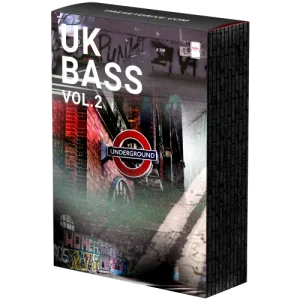
UK Bass Vol.2
Authentic UK bass presets. Garage, bassline, and 2-step sounds for Serum.
£29.99
Shop Now →Not sure yet? Grab our free taster pack first.
