
How to Make a Neuro Bass in Serum
What is Neuro Bass?
Neuro bass is the aggressive, metallic mid-range sound that defines neurofunk and heavier styles of drum and bass. Unlike sub bass which provides low-end weight, neuro bass sits higher in the frequency spectrum, typically between 200Hz and 2kHz, delivering the textured aggression that makes drops hit hard.
The sound draws its name from the neurofunk subgenre of DnB, pioneered by artists like Noisia, Spor, Phace, and more recently carried forward by producers like Camo & Krooked, Mefjus, and Teddy Killerz. Neuro bass has since influenced dubstep, riddim, and experimental bass music.
Why Neuro Bass is Challenging
Neuro bass is one of the most technically demanding sounds to create from scratch. It requires:
- Careful wavetable selection as the starting point
- Multiple distortion stages with different saturation characters
- Complex modulation routing for evolving textures
- Precise filtering to control the aggressive harmonics
- Stereo management to keep the mids wide while the lows stay mono
Serum handles all of these requirements within a single plugin, which is why it has become the standard tool for neuro bass design.
Step 1: Choosing the Right Wavetable
Standard saw and square waves can produce neuro bass, but the results are often generic. For more interesting textures, explore Serum’s wavetable library. Look for tables with complex harmonic content: digital, metallic, or harsh-sounding waveforms work well as starting points.
Try tables from the “Digital”, “Spectral”, or “Analog/Misc” categories. You can also import audio files as wavetables for truly unique textures. A short recording of metal scraping, a vocal sample, or even a noise burst can become the foundation for a distinctive neuro patch.
Set the wavetable position (WT Pos) to a point that has interesting harmonic content. Automate or modulate this position for movement throughout the sound.
Step 2: Shaping With Filters
Filtering is crucial for neuro bass. A band-pass or low-pass filter controls the frequency range and prevents the sound from becoming too harsh or too thin.
Set up a low-pass filter with moderate resonance. The resonance creates a harmonic peak at the cutoff frequency that adds bite and character. Modulate the cutoff with an envelope or LFO for movement.
For more complex textures, use both of Serum’s filter slots. Run one filter as a band-pass to focus the frequency range, and use the second as a formant or comb filter for additional character. The serial or parallel routing options change how the filters interact.
Step 3: Distortion and Saturation
Distortion is where neuro bass gets its aggressive character. The key is using multiple distortion stages with different types:
- First stage: Tube – Adds warm harmonic content and gently pushes the signal
- Second stage: Hard Clip – Creates harsh, aggressive overtones that give neuro bass its metallic quality
- Third stage: Soft Clip or Warm – Rounds off the harshest peaks from the hard clip, keeping the aggression while preventing the sound from becoming painful
The order matters. Tube into hard clip sounds different from hard clip into tube. Experiment with the distortion order in Serum’s effects chain to find the character you want.
Step 4: Modulation for Movement
Static neuro bass sounds flat and lifeless. The texture needs to evolve and move. Key modulation targets:
- Wavetable position – An LFO slowly sweeping through the wavetable creates evolving harmonic content
- Filter cutoff – Envelope or LFO modulation creates rhythmic filter movement
- Distortion amount – Modulating the drive adds dynamic intensity changes
- Pitch – Subtle pitch modulation (a few semitones) on note-on creates impact
Use Serum’s drag-and-drop modulation to assign multiple LFOs and envelopes. Map important modulation depths to macros so you can adjust the movement quickly when fitting the sound into a mix.
Step 5: Stereo and Mix Preparation
Neuro bass needs width in the mids but must remain mono in the low frequencies for club compatibility. Use Serum’s Hyper/Dimension effect to add stereo width, but only to the mid and high frequencies.
High-pass filter the neuro bass around 80-150Hz if you plan to layer a separate sub bass underneath. This keeps the frequency ranges clean and prevents the neuro patch from interfering with the sub.
Using Presets to Accelerate Neuro Bass Design
Neuro bass from scratch can take hours of experimentation. Starting from a well-designed preset gives you the wavetable selection, distortion chain, and modulation routing already configured. You can then tweak the macros and fine-tune the patch to fit your track.
Preset packs with neuro bass patches:
- Dirty Drum & Bass Vol.1 – Aggressive neuro patches for dark DnB
- Dirty Drum & Bass Vol.2 – Updated neuro sounds with modern processing
- Master Bundle Vol.1 & 2 – Complete collection including all neuro presets
For more on neuro bass, see our Neuro Bass Serum Presets guide and Best Neuro Bass Presets for Serum. Try the free taster pack or browse the full collection.
Keep Reading
→Bass Music Sound Design Handbook for Producers→Free Bass Music Production Cheat Sheet→Best UK Bassline Presets for SerumReady to Start Producing?
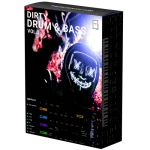 Dirty Drum & Bass Vol.2
 Dirty Bass House Vol.1
New to Preset Drive? Try our free taster pack first